What is Paint My Keyboard on Roblox?
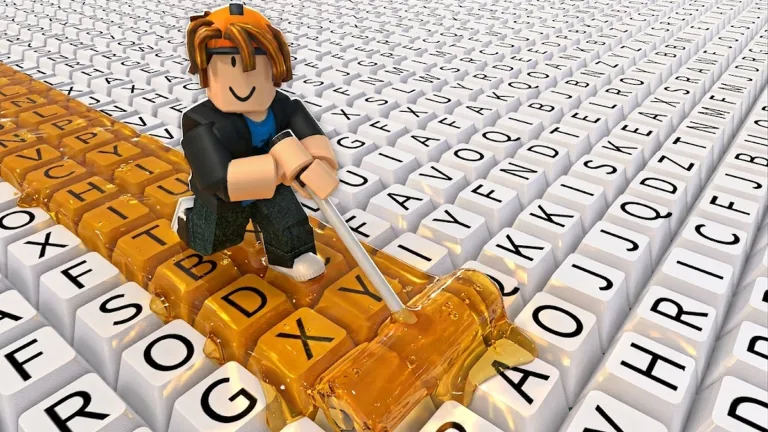
Paint My Keyboard! is an incremental Roblox game by sooo satisfying! where painted keys earn cash that funds better paint, faster rollers, and larger keyboard areas.
Last updated 2026-07-14
Paint My Keyboard! is a Roblox incremental game about painting keys, earning cash, and buying the next upgrade before your friends do. This fan hub keeps the math, codes, and launch guides in one place.
Quick payback check
Illustrative model. This 'buy next' pick is calculated from our own paint prices and multipliers, which the game does not publish. Check the real cost in the in-game shop before you buy.
See the full upgrade planRoblox listing stats captured 2026-06-27: 20,712 playing, 9,790,000 visits, 132,064 favorites, 98.1% rating, launched May 28, 2026.
Waiting on a rebirth timer? Puzzle, action and casual games load straight in a browser tab — no install, no account.
Pick something to play →Planner first, then paint tiers, code checks, and shareable builds.
Rank roller, paint, and expansion upgrades by payback time before you spend cash.
OpenFind your break-even time and decide whether to rebirth now or keep grinding.
OpenSortable efficiency table: find the paint tier that pays back fastest at your stage.
OpenS to C ranking of all six paints with multipliers, unlock costs, and stage context.
OpenPick a base paint and get matching palettes plus a curated gallery of the best combos.
OpenHonest verified-only code tracker for a new Roblox game.
OpenGenerate a build link, plan card, and embed snippet.
OpenAll paints, codes, expansion rules, and upgrade priority organized in one board-style reference.
OpenPick your paint tier and rebirth count to get a personalized stage checklist for your next moves.
OpenSearch all paints, keyboard sizes, and rebirth milestones in one filterable table with ROI scores.
OpenCheck when we last reviewed the sources behind the paint, rebirth, and codes pages, and what changed.
OpenThe short version behind every ranking on this hub.
Every tool here runs the same formula: income per minute equals roller speed times cash per key times paint multiplier. The planner checks that formula against your current setup and each candidate upgrade, then divides the upgrade cost by the income it adds to get payback time in minutes. A shorter payback time beats a bigger raw multiplier, because it tells you how fast the purchase pays for itself.
One honest limit: keyboard expansion is modeled as a flat 30% cash-per-key gain for launch-day planning, since Roblox has not published exact expansion tiers yet. Treat that number as a working estimate on the calculator page until in-game testing confirms it.
What the sources say, and what nobody has published.
The developer's own listing describes the loop in one line: "Paint colorful keyboard keys! Collect cash from painted keys! Unlock better paints! Upgrade your roller and expand your keyboard!" That confirms five systems — painting, cash, paint upgrades, roller upgrades and keyboard expansion — and nothing else. Read it yourself on the Roblox page.
Three more systems turn up in the feature lists of automation scripts written for the game. That is indirect evidence, but a reasonable witness: there is little reason to build an Auto Hire Worker button for a game with no workers. Those lists also name Auto Refill Paint, which points to paint being a consumable that depletes and has to be topped up, and Auto Rebirth, pointing to a prestige reset. We list each system with its source and how far we would trust it.
What we could not find published anywhere: paint names, paint prices, multipliers, rebirth costs or expansion percentages. We checked the developer's listing, the community wiki and the guide aggregators, and none of them carry these numbers. So any site showing them to you as fact — the ladder our own planner runs on included — is showing you a model rather than a measurement. Ours is labelled as one wherever it appears.
See the painting loop, rebirths, and expansions in action.
The method, and where it stops being certain.
Plainly: we are not a playtesting outfit, and we are not going to pretend to be one. What we do is read the sources that exist — the developer's Roblox listing, the automation scripts written for the game, and the community pages — and publish only what they actually say, with a link so you can check us. Where a source contradicts us we change the page and note it on the update log. Where no source exists, we say no source exists.
The limits matter more than the method, and this is the big one: the game publishes no paint prices and no multipliers anywhere. Not in the Roblox description, not in a patch note. So the 6-tier ladder our tools run on — the names, the multipliers and the unlock costs — is our own illustrative model, not the game's figures, and anything computed from it (payback times, tier ranks, efficiency ordering) is a model output rather than a measurement. It is useful for reasoning about whether a cheap upgrade repays faster than an expensive one; it is not a substitute for reading the actual price in the shop. Keyboard expansion is weaker still: we model it as a flat cash-per-key gain because the game never shows a percentage. When the developer publishes real numbers, or in-game testing contradicts ours, we replace them and record what changed on the update log rather than quietly editing the page.
The question that decides most of your first hour.
A new paint tier feels like the obvious buy, because the multiplier applies to every key you will ever paint. That instinct is what stalls people: a paint jump typically costs many times what the roller upgrade beside it costs, and while you save up, your income sits still. The roller upgrade is small, cheap, and starts paying immediately, which is why it can win on payback time even though it looks less exciting in the shop.
The rule: divide the cost of each candidate by the extra cash per minute it adds, and buy the one with the smaller number. That is all the planner does — it is a decision rule, not a claim about the game's internals, and it works with whatever prices you read off your own shop. If you want the reasoning worked through in full, the upgrade order guide walks a whole run, and the best paints table sorts every tier by how fast it repays at your current income instead of by raw multiplier.
Resetting early costs you more than it gives you.
We model rebirth the way idle games generally handle it: you give up your current progress in exchange for a bonus that carries forward. We have not been able to confirm the exact bonus curve the game uses, so the calculator asks you for the bonus you are actually being offered rather than assuming one. The trap is the same either way. A bonus only earns you anything on the income you have after the reset, and right after a reset your income is tiny.
The signal we look for is a stall: the next upgrade in front of you has a payback time so long that grinding for it is worse than starting over with a better multiplier. That crossover is the only thing the rebirth calculator checks. Feed it your current income and the bonus on offer, and it tells you how long the reset takes to break even. If the break-even is shorter than the payback on your next planned purchase, reset. If it is not, keep painting. Resetting early, while you are still climbing well, is the mistake we see most often and the one this tool exists to catch.
An empty table is a claim, not an oversight.
Search for codes for any trending Roblox game and you will find pages listing a dozen of them. It costs a content site nothing to publish a code it never checked, and it costs you a few minutes of typing to find out. Our codes page starts from the opposite rule: nothing goes in the table unless the developer has published it through an official channel.
Today that leaves the table empty, and the sources agree with us — the game's Roblox listing mentions no codes and no codes button, and the community wiki also reports none active. We would rather show you an honest empty state than pad it. When the developer publishes a real code we will add it with the reward and link where it came from. If you want the longer version of this argument, the codes explainer post covers what these fake-code pages are actually optimizing for. Meanwhile, if you have been sent a link to a "free script" instead, run it through the script safety checker before you touch it.
Short notes we wrote while working the game out.
Codes
A short explanation of why this tracker stays empty until the developer publishes a code through an official channel.
2026-06-27Expansion
Keyboard expansion is satisfying, but it should compete against paint and roller upgrades on payback time.
2026-06-27Jump between the planner, launch guides, code tracker, and share tools.
Rank roller, paint, and keyboard expansion upgrades by payback time.
Open guideCompare illustrative paint multipliers and unlock costs.
Open guideVerified-only code status with an honest empty state.
Open guideSee which paint tiers are strongest for each stage.
Open guideFollow a practical next-buy route for faster income.
Open guideKnow when extra keys beat faster rollers or better paint.
Open guidePick your paint tier and rebirth count to get a stage-matched checklist of next steps.
Open guidePick a goal and paint tier to get a tailored four-step strategy path.
Open guideStart from a blank board and avoid early cash traps.
Open guideCopy your build link or embed the planner.
Open guideCheck whether a paint my keyboard script is a scam before you click, download, or paste anything.
Open guideSee when we last reviewed the sources behind the paint, rebirth, and codes pages.
Open guideShort answers for launch-day Paint My Keyboard planning.
Paint My Keyboard! is an incremental Roblox game by sooo satisfying! where painted keys earn cash that funds better paint, faster rollers, and larger keyboard areas.
Start with the upgrade planner. It compares paint, roller, and keyboard expansion costs with the same payback formula used throughout the site.
No verified codes are available yet. The codes page stays empty until a code is confirmed by an official channel or an in-game redemption test.
The visit, favorite, and rating figures were captured from the game's Roblox listing on 2026-06-27 and are refreshed on a schedule, not live-updated on every page load.
No. Every planner and tracker on this site runs in your browser without a login, and nothing you enter is sent to a server.
Most players check the rebirth calculator next, since it shows whether resetting progress right now is worth the permanent bonus or whether you should keep grinding first.
Whichever has the shorter payback time at your current cash per key. A paint upgrade scales everything you paint, while a roller upgrade is usually the cheaper ticket, so the answer depends on the two prices in front of you. Read them off the in-game shop, put them into the planner, and buy the one that pays for itself sooner.
Running exploit scripts is against Roblox's terms of use and puts your account at risk, and plenty of 'free script' links are bait rather than working scripts. The script safety checker walks through the warning signs before you download or paste anything, and we do not host or link any script ourselves.
Page last updated 2026-07-14. Roblox visit, favorite, and rating figures on this page were captured from the game listing on 2026-06-27 and are refreshed on a schedule, not on every load.
Ad served by Adsterra. Paint My Keyboard is not responsible for advertiser content.